Offloading a media source
An offload copies one media source to one or more destinations. It hashes every file as it reads it, and it reads each copy back with the operating system's cache bypassed where the volume allows it. Each copy is synchronised to the device before its write handle closes. A manifest is written into every destination.
An offload can seal the media source before it copies. The page Seal the media source first explains that switch.
Start the offload
- Click New Offload…, or press Ctrl+N.
- Click Choose… and select the media source.
- Click Add Destination… and select a folder. Do this again for a second destination.
- Click Review Plan….
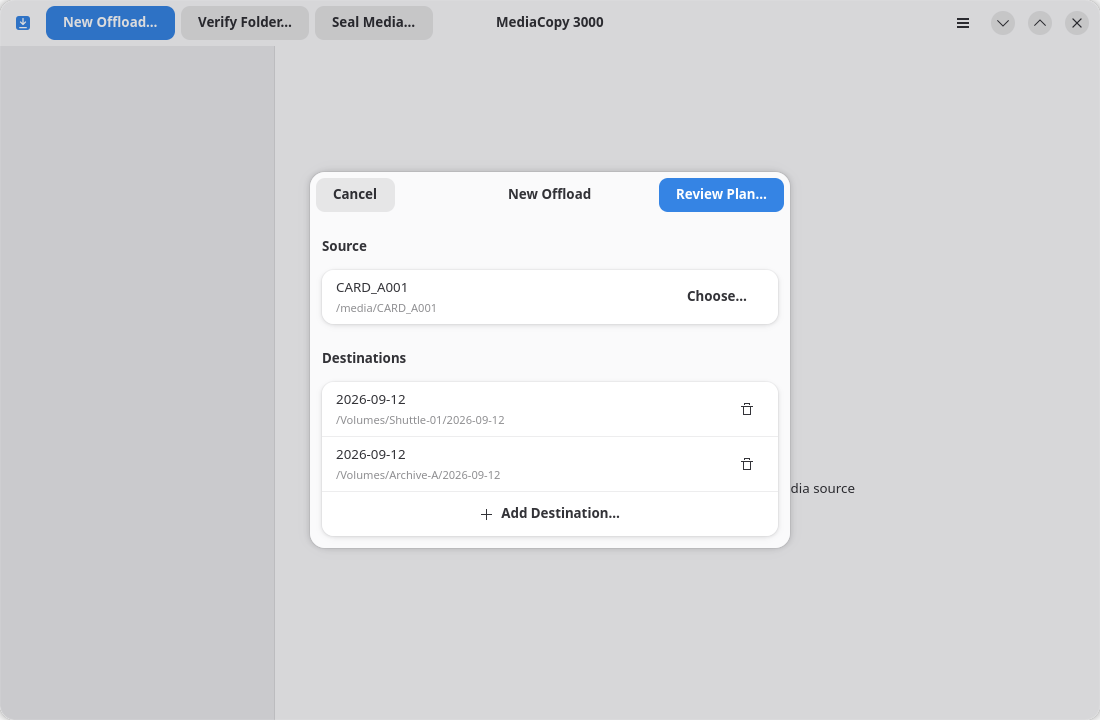
The Review Plan… button stays grey until the dialog holds a media source and at least one destination. The same folder cannot be added twice.
To remove a destination, click Remove Destination on its row.
Review Plan… does not copy anything. It reads the media source and the destinations, and it shows you a plan. The page The plan explains what the plan says. The copy starts when you click Start on that sheet.
What an offload writes
Each destination gets a folder with the same name as the media source. Inside that folder, its files sit in their own places, empty folders included, next to an ascmhl folder:
<destination>/CARD_A001/…the files…
<destination>/CARD_A001/ascmhl/ascmhl_chain.xml
<destination>/CARD_A001/ascmhl/0001_CARD_A001_2026-09-12_120000.mhl
<destination>/CARD_A001/ascmhl/0002_CARD_A001_2026-09-12_140300.mhl
The ascmhl folder is the media source's own history, copied file for file, plus one new generation for this offload. In the example, 0001 is the seal the card already held and 0002 is the offload. A media source with no history gives a destination whose first generation is the offload. Every destination gets its own copy, because every destination is its own tree. The The ASC MHL format pages covers this in more details.
An offload does not writes to the media source, except for when Seal the media source first is on. The seal pass will write one generation into the ascmhl folder of this media source.
What the copy is checked against
An offload records each file as verified when it can compare the copy against a hash that already exists, and as original when it cannot. The hashes it compares against are the originals. They come from one of three places:
- The media source's own history, when it holds one.
- The seal this job takes first, when you turn on Seal the media source first.
- Nothing, when the media source holds no history. Then, every file is then recorded as
original.
The plan names which of the three it used, and the detail pane repeats it on the Originals: line. The page Seal the media source first explains the choice.
Resume a cancelled offload
You can offload into a destination that already holds part of the same media source. The plan sheet then shows the blocker destination holds a partial copy and marks the destination as partial copy. It also adds a row Existing copy under Before Copying. Choose one:
- Resume keeps a file that has the right size and the right hash. The job hashes each such file and copies it again only when the hash differs. Such a file shows
Replaced after mismatch. - Replace copies every file again, over the files that are there.
Both choices end with the same result as a fresh offload: the full tree, the media source's history, and one new generation.
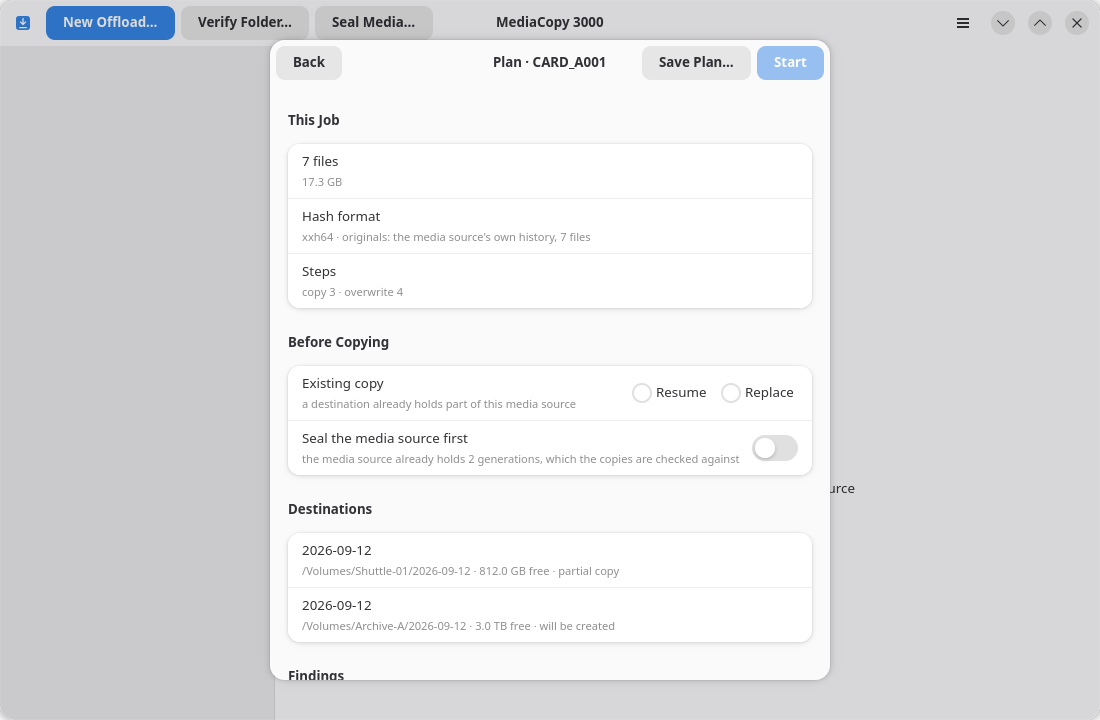
The destination must hold only files of the media source, unfinished copies of those files that end in .mc3k-part, and the media source's own history. A file the media source does not hold is a blocker. The page Findings names it.
Cancel a job
Click Cancel in the detail pane while the job runs. The files that were copied stay where they are.
A cancelled job writes no manifest for the pass it was stopped in. A seal pass that had already finished has already written its generation to the media source.
You can start the same offload again into the same destination. The section above explains how.