Verify a folder
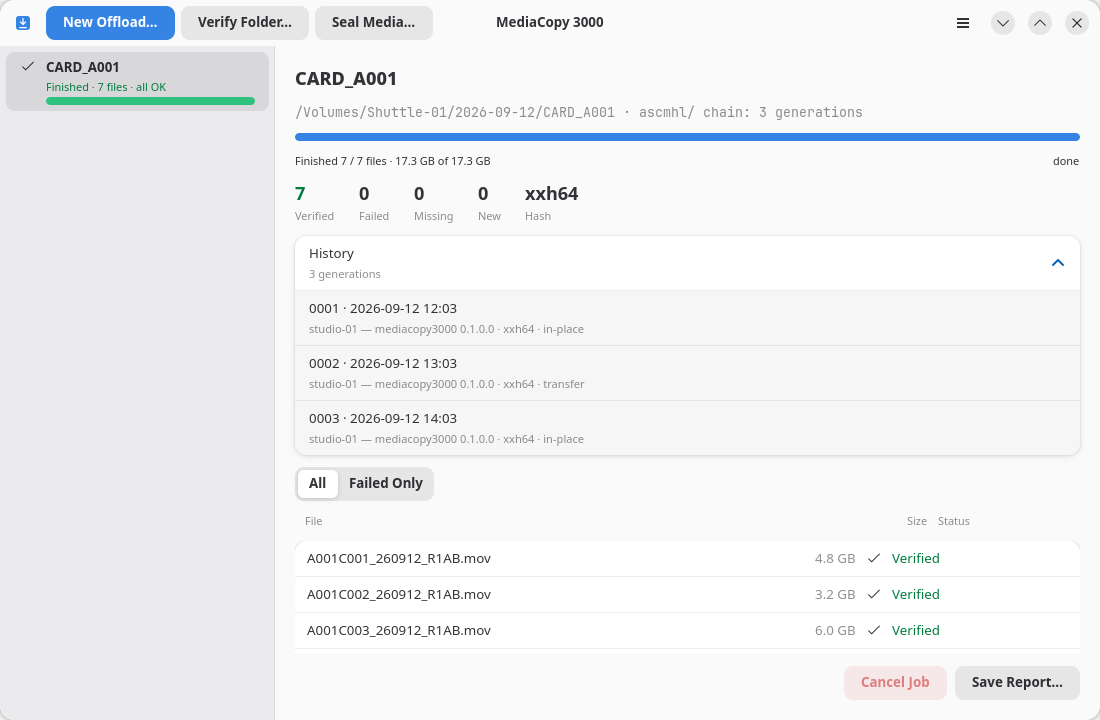
A verify job reads a folder again and checks every file against the folder's own history. It writes one new generation that records the result.
Start one
- Click Verify Folder…, or press Ctrl+O.
- Select the folder.
- Read the plan, then click Start.
Pick the folder that holds the ascmhl folder. For a destination that an offload wrote, that is the folder named after the media source, not the destination above it.
What it needs
A verify job needs a history. A folder with no ascmhl folder gets the blocker folder has no history, and the job cannot start. Seal the folder instead. The page Seal a media source covers that.
What it uses to hash
A verify job does not choose its hash format. It takes the format from the manifest it checks against, so a folder recorded in md5 is read again in md5. MediaCopy 3000 reads md5, sha1 and xxh64.
What the result means
| Result | What it proves |
|---|---|
Finished · N files · all OK | Every file the manifest names is there, and its bytes still hash to what the manifest says. |
Finished · N failures | A file did not match, could not be read, or is gone. The list names each one. |
A clean verify proves that the files agree with the manifests. It does not prove that the copy was complete when it was made. A file that was never copied has no record in the manifest, so there is nothing for a verify to miss. The page Limits says more about this.
What it writes
A verify job appends one generation to the folder's own history. The generation records the in-place process, because nothing moved. The specification has no verify process.
The failures go in the record too. A generation that records failures is part of the history like any other, and the history expander shows its count in red.